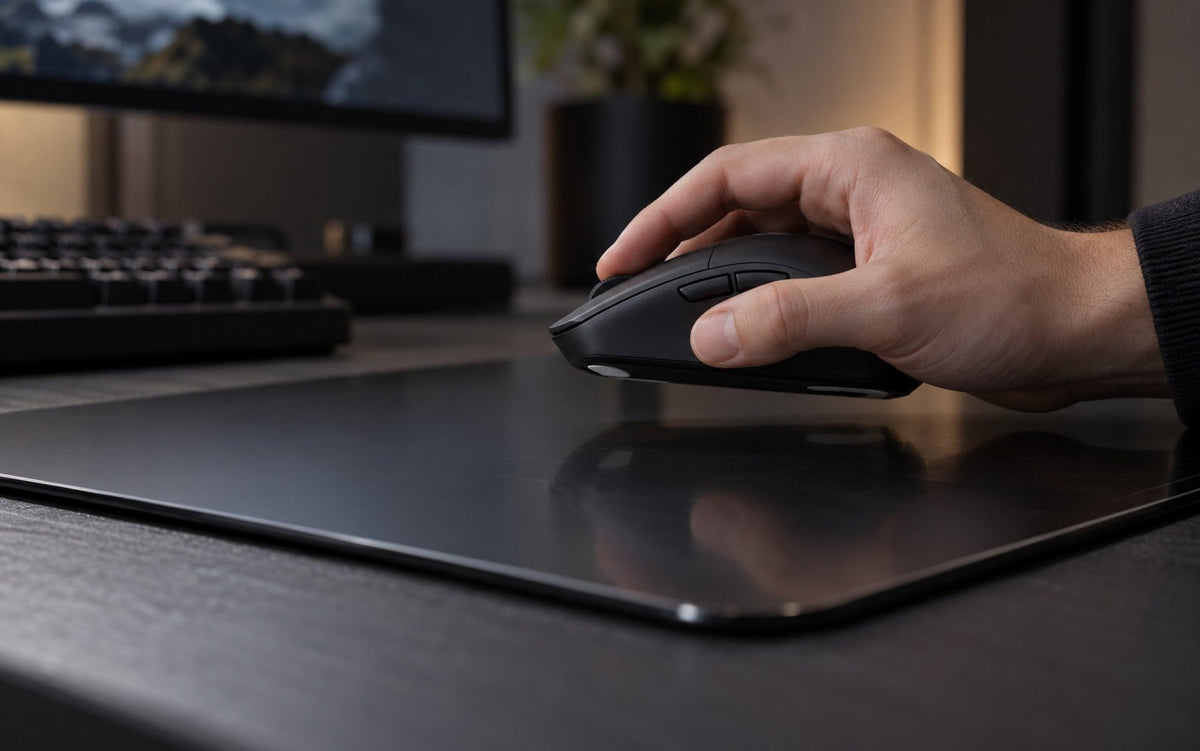
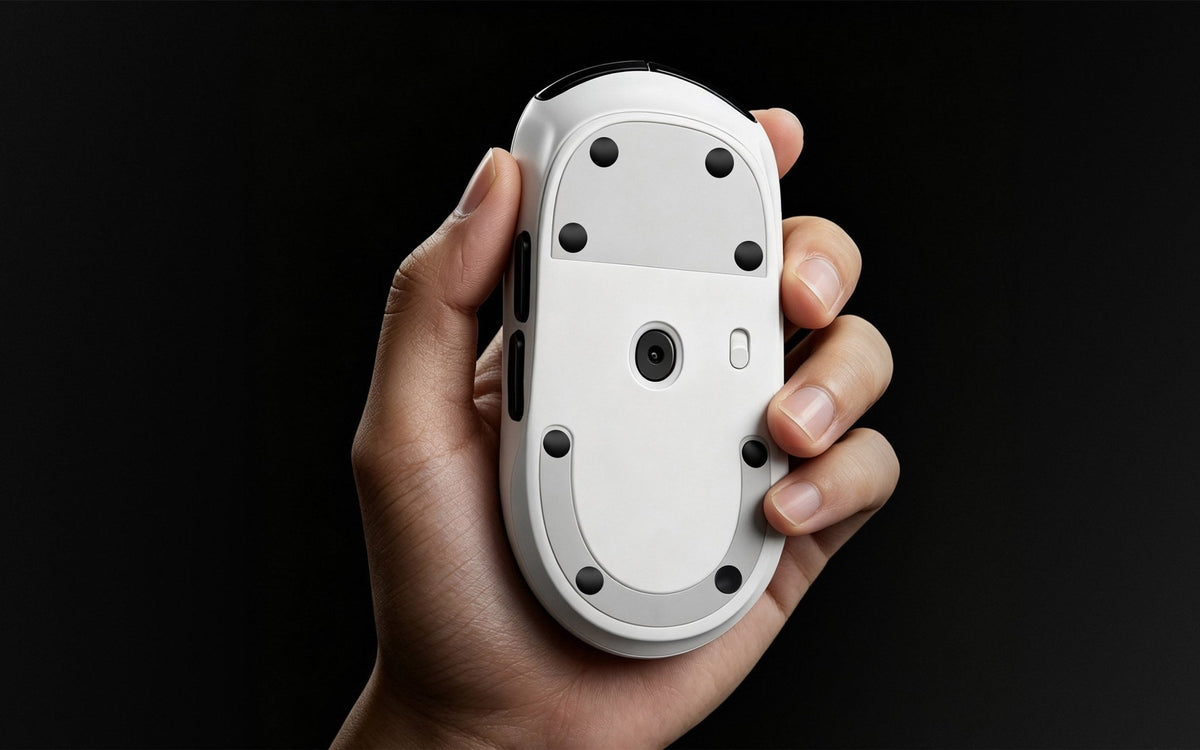
Dot mouse skates let you fine-tune how your mouse moves on a glass mousepad. The key question is not simply “What is the best number of dots?” It is how many dots give the mouse a stable, even footprint without adding more contact than you want.
For most users, start with enough dots to support the mouse evenly. Follow the skate maker's recommended layout when it is provided. Do not use fewer dots only to chase speed if that makes the mouse rock, tilt, or scrape against the pad.
On glass, a stable setup matters as much as low resistance.
Quick Answer
Use enough mouse skate dots to keep the mouse level, securely supported, and clear of the mousepad.
- Start with the skate maker's recommended dot layout.
- Keep the placement balanced from front to back and side to side.
- Add dots only when the mouse is unstable or its shell gets too close to the pad.
- Avoid placing dots randomly or stacking them.
- Test the setup before deciding that fewer dots are better.
A smaller total contact area can generally create a lighter, faster glide. However, too little support can make mouse movement less consistent, especially during wide swipes or when you apply slight pressure to the shell.
Why the Number of Skate Dots Changes the Glide
Each dot skate creates a small contact point between the mouse and glass. Changing the number of dots changes both total contact area and the way the mouse's weight is distributed.
Fewer Dots Can Feel Lighter
With fewer contact points, less material touches the pad. On a clean glass surface, this can create lighter initial movement and a quicker glide. It may appeal to players who prefer fast swipes, low-resistance tracking, or a more open response.
However, fewer dots are not automatically better. If the mouse is no longer properly supported, uneven movement may replace a controlled fast glide.
More Dots Can Improve Support and Consistency
Adding more dots can distribute the mouse's weight more evenly. This may help when:
- the mouse rocks from corner to corner
- the shell sits unusually close to the pad
- the original skate positions are widely spaced
- you apply noticeable downward pressure while aiming or working
- one area of the mouse base is less supported
More dots can make the mouse feel slightly more planted, but the point is not speed alone. A balanced layout keeps the mouse level through the entire swipe, so glide stays predictable. On rigid glass, uneven support is often more noticeable than on cloth because the pad does not compress to compensate for an uneven mouse base.
Start With a Stable Layout, Not a Specific Number
There is no universal dot count. Mouse shapes, weights, base designs, sensors, and bottom grooves all differ. A lightweight symmetrical mouse may need a different layout from a larger ergonomic model.
1. Is the Mouse Level?
Place the mouse on the glass and press each corner gently. It should not rock or wobble. If it tilts from front to back or side to side, the dots may be too few, unbalanced, or not fully adhered. Test on a known flat surface if necessary to rule out an uneven mouse shell.
2. Is the Mouse Shell Clearing the Pad?
The plastic shell should not rub against the glass. If you hear scraping, feel roughness, or see fresh marks, stop and inspect the setup. The cause may be insufficient support, debris, or old adhesive.
3. Does the Glide Stay Consistent in Every Direction?
Move the mouse slowly forward, backward, and diagonally, then make normal swipes. The glide should remain consistent. If one direction catches or feels different, check for a misplaced, missing, or poorly adhered dot, or for an uneven mouse base.
Where Should Mouse Skate Dots Go?
Use the original skate locations whenever possible. They are designed to support the intended height and sensor distance. If the mouse has no clear grooves, create a balanced footprint:
- Place dots near the front and rear rather than clustering them in the center.
- Keep the layout symmetrical from left to right.
- Avoid the sensor, screws, switches, and charging contacts.
- Do not place dots on curved edges.
The dots should support the main contact points, create a stable base, and prevent the shell from contacting the glass.
Should You Use Fewer Dots for a Faster Setup?
You can experiment with fewer dots only after the mouse is level and stable. Lower contact can feel lighter, but perceived speed also depends on surface texture, skate material, mouse weight, and the pressure you apply. Dot count is only one variable.
For a faster overall feel, skate material matters too. CLUSTRS PTFE Dot Mouse Skates are designed for fast, smooth glide with minimal resistance. PTFE Donut Mouse Skates offer a smoother, more planted feel. UHMW-PE Dot Mouse Skates provide smooth, consistent glide and durability on glass and other hard surfaces.
Change one variable at a time. Do not change skate material, dot count, and sensitivity all at once, or it will be difficult to identify what changed the feel.
Installation Checklist
- Remove old skates and adhesive completely.
- Wipe the mouse base with an alcohol wipe and let it dry.
- Apply dots firmly to clean, flat areas.
- Confirm that the layout is even and each dot is fully attached.
- Check for wobble before regular use.
- Keep the glass mousepad clean.
Debris can be especially noticeable under dot skates because each contact point is small.
Match Your Dots to the Surface Feel You Prefer
Mouse skates and mousepads work as a system. A speed-focused surface with a low-contact layout may feel especially light, while a more balanced layout can provide more feedback and stopping control.
For example, CLST 1.0 Balanced Speed is suited to players who want controlled feedback and stronger stopping, while CLST 2.0 Speed is designed for lower initial resistance and a faster, smoother glide. The best setup is the one that stays stable, predictable, and comfortable, not simply the one with the fewest dots.
FAQ
How many dot skates should I use on a glass mousepad?
Use enough dots to keep the mouse level, stable, and clear of the pad. Start with the maker's recommended layout, then test for wobble and consistent directional glide.
Do fewer mouse skate dots make a mouse faster?
Fewer dots can reduce contact area and feel lighter, but too few can make the mouse unstable or let the shell contact the pad.
Where should I place dot skates?
Use original skate locations or a balanced outer footprint. Avoid the sensor, curved edges, screws, switches, and charging contacts.
Why does my mouse wobble after installing dot skates?
The layout may be uneven, a dot may not be fully attached, support may be insufficient, or adhesive residue may remain on the base.
Which skate materials work on glass mousepads?
PTFE and UHMW-PE are common choices for glass mousepads. Avoid glass or ceramic skates on glass because they can increase noise, wear, and unpredictability. Explore CLUSTRS Mouse Skates to compare compatible options.