Wichtigste Erkenntnisse:
- Die Oberfläche ist das Problem: Die meisten Cafétische (Holz, Glas, Stein) verwirren Maussensoren und verursachen die von Ihnen empfundene "Verzögerung".
- Stoffpads versagen in der Öffentlichkeit: Herkömmliche Stoffpads absorbieren Feuchtigkeit und Kaffeeflecken, wodurch sie für einen mobilen Schreibtisch unzuverlässig sind.
- Die einzig logische Lösung: Ein Glasmauspad bietet die einzige 100% konsistente Oberfläche, die auf jedem kleinen Schreibtisch oder winzigen Schreibtisch funktioniert.
- Ergonomie ist wichtig: Die Kombination eines Laptopständers für den Schreibtisch mit einer speziellen Oberfläche verhindert den "Laptop-Buckel" und die Belastung der Handgelenke.
- Ausrüstung in Profi-Qualität: Für diejenigen, die auf eine Maus angewiesen sind, ist eine Glasoberfläche das ultimative Upgrade für einen produktiven Schreibtisch.
Ihr Café-Setup fühlt sich komisch an – und das liegt nicht nur an Ihnen
Sie setzen sich zum Arbeiten hin – und irgendetwas fühlt sich einfach nicht richtig an. Sie bewegen Ihre Maus, aber der Cursor springt. Sie versuchen, einen präzisen Knopf zu klicken, und verfehlen ihn.
Die meisten Menschen geben ihrem Laptop oder der Mausbatterie die Schuld. In Wirklichkeit sind Probleme wie abgenutzte Mausfüße oder inkonsistente Verfolgung weitaus häufiger. Das ist fast nie das eigentliche Problem. Die Realität ist, dass Ihre High-End-Maus durch den Tisch, an dem Sie sitzen, sabotiert wird.
Ob Sie an einem kleinen Computertisch in einem Bistro oder an einer Marmorplatte in einer Hotellobby sitzen, die Umgebung kämpft gegen Ihre Produktivität.
Es ist nicht Ihre Maus – es ist das, was darunter liegt
Um Ihr Remote-Arbeits-Setup zu verbessern, müssen Sie "Mausoberfläche" verstehen. Dies ist die physische Schicht, mit der Ihre Maus interagiert. Ihre Maus funktioniert nicht allein – sie ist auf die darunter liegende Oberfläche angewiesen.
Denken Sie an die Orte, an denen Sie normalerweise arbeiten:
- Holztische: Tiefe Maserungen und Kratzer bringen den Sensor zum "Stolpern".
- Glastische: Die meisten optischen Mäuse können auf transparenten Oberflächen einfach nicht verfolgen.
- Stein oder Metall: Diese Oberflächen sind oft uneben und bieten eine inkonsistente Reibung.
Selbst die besten Schreibtisch-Setup-Ideen scheitern, wenn die Grundlage – die Oberfläche – unvorhersehbar ist. Deshalb wechseln immer mehr Profis zu Oberflächen, die für konsistente Verfolgung ausgelegt sind.
Warum Café-Tische Ihre Mausleistung ruinieren
Café-Tische sind für Kaffee gemacht, nicht für Sensoren. An einem typischen kleinen Bürotisch haben Sie es mit inkonsistenten Materialien zu tun, die das "Handgefühl" Ihrer Maus bei jeder Bewegung verändern.
Wenn Sie an Schreibtischen für kleine Räume arbeiten, ist Ihre Bewegungsfreiheit bereits eingeschränkt. Wenn dieser kleine Raum eine ungleichmäßige Reibung aufweist, muss Ihr Gehirn doppelt so hart arbeiten, um präzise zu bleiben. Dies führt zu "Setup-Müdigkeit", bei der Sie sich müde fühlen, bevor Sie überhaupt mit der Arbeit begonnen haben.
Eine gute Maus auf einer schlechten Oberfläche fühlt sich immer noch schlecht an.
Das Problem: Ihr Stoffpad lässt Sie im Stich
Viele Remote-Arbeiter versuchen, dies durch das Mitführen eines traditionellen Stoffmauspads zu lösen. In einem Café oder öffentlichen Raum ist Stoff jedoch eine Belastung.
Probleme mit Stoffmauspads in Cafés:
- Saugt alles auf: Luftfeuchtigkeit, verschütteter Latte Macchiato und Tischschmutz ziehen direkt in den Stoff ein.
- Inkonsistentes Gleiten: Sobald der Stoff feucht oder schmutzig wird, ändert sich die Reibung vollständig.
- Schwer zu reinigen: Man kann ein Stoffpad nicht einfach abwischen; man muss es waschen und trocknen lassen. Wenn Sie jemals versucht haben, eines unterwegs zu reinigen, wissen Sie bereits, wie unpraktisch das ist.
Die Lösung: Warum Glas das ultimative "Remote Work"-Geheimnis ist
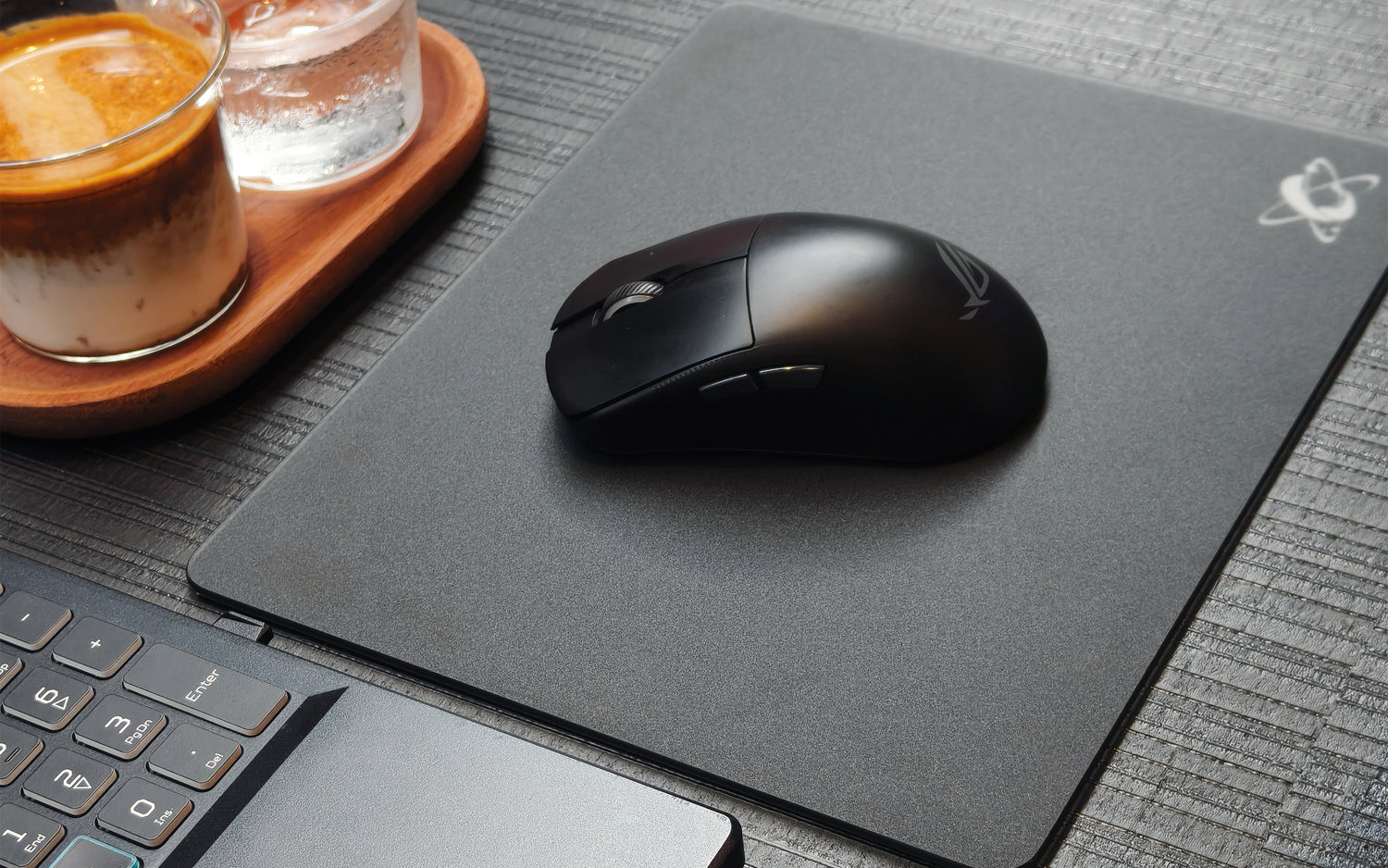
Wenn Sie ein Setup wünschen, das sich überall identisch anfühlt, ist ein Glasmauspad die einzige professionelle Lösung. Es verwandelt einen zufälligen kleinen Schreibtisch in Sekundenschnelle in eine Weltklasse-Arbeitsstation. Genau deshalb wechseln immer mehr Remote-Arbeiter zu Glasmauspads für Café-Setups.
Vorteile von Glasmauspads:
- Wasserdichte Oberfläche: Kaffee verschüttet? Einfach abwischen. Keine Ausfallzeiten.
- Leicht zu reinigen: Ein Wisch mit einer Serviette und es ist wie neu.
- Konsistentes Gleiten: Es fühlt sich in einem feuchten Café oder einem klimatisierten Büro genau gleich an.
Die ultimative Lösung finden Sie hier →

Brauchen Sie wirklich eine spezielle Oberfläche?
Wenn Sie nur ein Trackpad verwenden, kommen Sie vielleicht zurecht. Aber wenn Sie für Ihre Arbeit auf eine Maus angewiesen sind, wird eine professionelle Oberfläche unumgänglich.
Für Designer, Programmierer und Manager, die Präzision benötigen, ist die Oberfläche der wichtigste Teil eines ergonomischen Schreibtisch-Setups. Ohne sie passen Sie Ihre Hand ständig微- an, was mit der Zeit zu Handgelenksbelastung führt.
Ein einfaches Café-Setup, das tatsächlich funktioniert
Sie brauchen keinen klobigen Lapdesk, um produktiv zu sein. Ein minimalistisches Schreibtisch-Setup sollte leicht und effektiv sein.
Das professionelle tragbare Schreibtisch-Setup sieht so aus:
- Ein klappbarer Laptopständer für den Schreibtisch, um den Nacken gerade zu halten.
- Eine kompakte Tastatur für eine bessere Haltung.
- Eine Maus + Glasmauspad für 1:1 Präzision auf jeder Oberfläche.
Diese Kombination passt auf jeden kleinen Bürotisch und stellt sicher, dass Ihre Schreibtisch-Setup-Inspiration nicht nur gut aussieht, sondern auch tatsächlich funktioniert.
Sie brauchen keine bessere Maus. Sie brauchen eine konsistentere Oberfläche. Lassen Sie sich nicht länger von zufälligen Café-Möbeln Ihre Geschwindigkeit diktieren.
Indem Sie Ihre eigene Glasoberfläche mitbringen, stellen Sie sicher, dass Ihr Laptop-Schreibtisch-Setup unabhängig vom Standort eine leistungsstarke Arbeitsumgebung bleibt.
Bereit, Ihr Setup für immer zu optimieren? Holen Sie sich die einzige Oberfläche, die für mobile Profis entwickelt wurde →

FAQ
1. Ist ein Glaspad zu schwer für ein mobiles Schreibtisch-Setup?
Moderne Glaspads sind dünn und leicht. Sie passen problemlos in Ihre Laptop-Hülle und eignen sich perfekt für alle Anforderungen an einen tragbaren Laptop-Schreibtisch.
2. Warum ist Glas besser als ein Standard-Schreibtisch-Setup?
Standardschreibtische bestehen aus verschiedenen Materialien. Ein Glaspad bietet eine einheitliche Tracking-Schicht, die sich nicht abnutzt oder mit der Zeit verändert.
3. Wie pflege ich es auf Reisen?
Im Gegensatz zu Stoffpads, die gewaschen werden müssen, braucht eine Glasoberfläche nur ein schnelles Abwischen. Es ist die hygienischste Wahl für ein Remote-Arbeits-Setup.
4. Funktioniert es auf einem sehr kleinen Computertisch?
Ja. Unsere Pads sind speziell für kleine Schreibtische konzipiert, sodass Sie genügend Platz zum Arbeiten haben, ohne den gesamten Tisch zu beanspruchen.
5. Geht es in meiner Tasche kaputt?
Hochwertige Glaspads bestehen aus gehärtetem, hochfestem Glas. Sie sind so gebaut, dass sie den Pendelverkehr und die tägliche Belastung eines minimalistischen Schreibtisch-Setups überstehen.