Introduction
A glass mousepad has become a practical choice for many gamers, content creators, office users, and desk setup enthusiasts in 2026. Compared with many cloth pads, a treated glass surface can offer smoother glide, easier cleaning, and a more consistent feel during daily use.
For users who play Fortnite, Roblox, Minecraft, Valorant, Apex Legends, or other mouse-focused games, the surface under the mouse can affect how movement feels during flicks, tracking, building, editing, camera control, and general browsing. A mousepad does not create gaming skill by itself, but it can support a more predictable mouse movement experience.
CLUSTRS is positioned as a professional gaming glass mousepad brand focused on the CLST 1.0 micro-etched surface, a speed-leaning balanced feel, smooth glide, steady tracking, reliable stopping power, easy cleaning, and custom setup aesthetics. This guide explains how buyers can choose the right CLUSTRS glass pad based on playstyle, desk space, cleaning needs, comfort, and visual style.
Key Takeaways
- A CLUSTRS glass mousepad is designed for smooth glide, steady tracking, reliable stopping power, and easier daily cleaning.
- The CLST 1.0 micro-etched surface supports a speed-leaning balanced feel rather than a speed-only experience.
- Glass pads can suit gaming, office work, content creation, and custom desk setups when the size and surface feel match the user’s needs.
- AF coating helps reduce visible fingerprints, smudges, and stains, making the surface easier to wipe clean.
- Buyers should check official product details such as size, thickness, edge design, material, and base type before choosing.
- For custom glass mousepads, users should upload high-resolution artwork, expect possible slight color differences, and make sure they have the right to use the image.
Why a Glass Mousepad Matters in 2026
A glass mousepad matters in 2026 because many gamers, creators, and desk setup users want smoother glide, easier cleaning, and a more consistent surface feel. CLUSTRS glass mousepads use the CLST 1.0 micro-etched surface, designed for a speed-leaning balanced feel with smooth glide, steady tracking, and reliable stopping power.
The surface can support more predictable movement during FPS games, Fortnite, Roblox, Minecraft, office work, and daily browsing. This does not mean a glass pad automatically improves aim or changes player skill. It means the surface can support more consistent movement, which may help users build a more predictable relationship with their mouse, sensitivity, and desk setup.
AF coating helps reduce visible fingerprints, smudges, and stains, making the pad easier to wipe clean after use. A CLUSTRS glass pad also supports desk aesthetics, with options for minimalist setups, character-inspired styles, cute and clean desks, artist editions, and custom artwork.
Key Features to Consider Before Buying
1. Surface texture and glide
CLUSTRS glass mousepads use the CLST 1.0 micro-etched surface, designed for a speed-leaning balanced feel with smooth glide, steady tracking, and reliable stopping power.
This surface can support different gaming situations:
- Fortnite: aiming, editing, building, and fast camera movement.
- Roblox: obstacle courses, building modes, and quick direction changes.
- Minecraft: camera control, building, mining, and inventory use.
- FPS games: fast starts, steady tracking, and controlled stops.
The value is not a claim of performance improvement. It is about creating a smoother and more predictable mouse movement feel.
2. Size and desk compatibility
Size should match desk space, mouse sensitivity, and movement style. A larger pad may suit low-sensitivity players who use wide arm movement, while a compact or medium pad may fit office users and smaller desks.
CLUSTRS offers different setup options, from the minimalist Atom Gaming Glass Mousepad to personalized designs through Customize Your Glass Mousepad. Buyers should check each official product page for confirmed size, thickness, and material details.
A larger pad can give more room for wide swipes and tracking. A more compact pad can fit smaller desks and office spaces. A medium size may suit users who move between gaming and daily productivity.
3. Comfort and base stability
Smooth 2.5D or 3D CNC edges help reduce sharp contact against the wrist and forearm during longer gaming or work sessions. A high-grip PU base helps keep the glass pad stable on most desk surfaces during fast flicks, wide swipes, and daily use.
These features support comfort and stability, but they should not be treated as medical or absolute claims. Edge design, thickness, and base details can vary by product, so buyers should confirm these details on the official product page before choosing.
4. Easy cleaning and build quality
AF coating helps reduce visible fingerprints, smudges, and stains, making the surface easier to wipe clean with a soft microfiber cloth. Tempered glass supports a durable, stable, and premium surface for daily use, but glass products should still be handled with care.
Buyers should confirm product-specific details such as glass type, thickness, edge design, and base material on the official product page. CLUSTRS products may vary by model, so specifications should not be copied from one product to another without confirmation.
5. Aesthetic and personalization
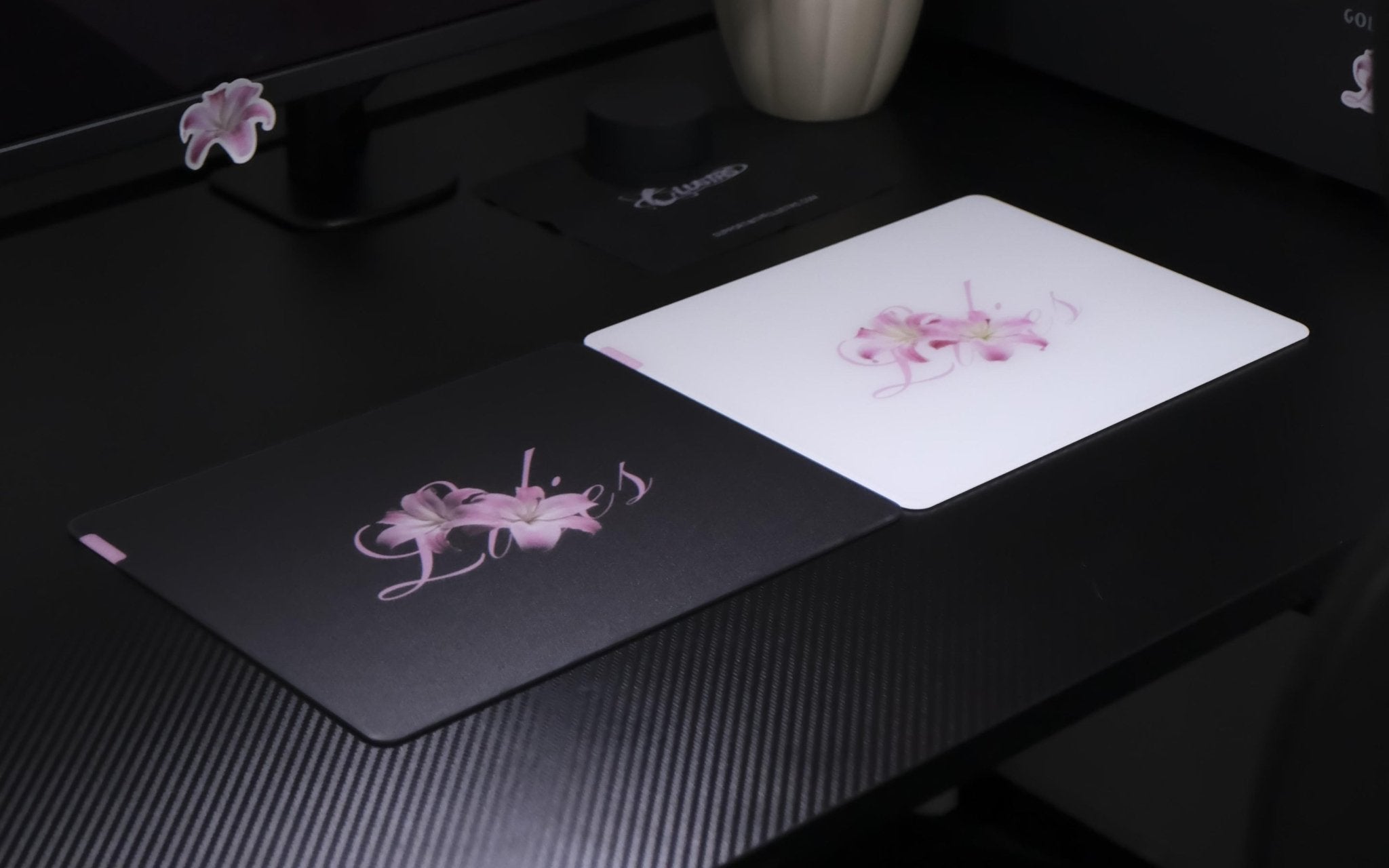
Visual style is also part of the buying decision. Minimalist users may prefer Atom or Orbit, while character-inspired users may look at designs such as the Akira Gaming Glass Mousepad. Softer desk setups may fit options like the Lilies Glass Mousepad.
For custom glass pads, users should upload high-resolution artwork, expect possible slight color differences, and make sure they have the right to use the uploaded image. CLUSTRS recommends artwork at 300 DPI or higher for clearer printed results. Want to customize your own mousepad? Click here.
How to Choose and Buy the Right CLUSTRS Pad
1. Choose based on playstyle first
A CLUSTRS glass mousepad should match how the user moves the mouse. Low-sensitivity FPS players may prefer more room for wide arm movement, while high-sensitivity users may prefer a smaller or medium surface.
Different games can also create different movement needs:
- Fortnite players may switch between aiming, building, editing, and fast camera movement.
- Minecraft players may want smooth movement for building, mining, browsing, and creative work.
- Roblox players may value a clean, consistent surface for different game types and daily use.
CLUSTRS glass mousepads are designed around a speed-leaning balanced feel, supporting fast starts, steady tracking, and controlled stopping. Users moving from cloth to glass may need time to adjust because the glide can feel lighter.
2. Check the surface feel and tracking behavior
The CLST 1.0 micro-etched surface is designed to balance speed and control. It supports smooth glide while helping users maintain steady tracking and reliable stopping power.
Before choosing, buyers can consider:
- Fast flicks: the surface should allow quick starts.
- Tracking: the glide should feel steady.
- Stopping: the surface should support controlled stops.
- Daily work: the pad should feel clean and easy to maintain.
This makes CLUSTRS suitable for users who want fast glide with reliable control.
3. Product example: Astra’s Gaze Gaming Glass Mousepad
The Astra’s Gaze Gaming Glass Mousepad is a useful product example from CLUSTRS. Its official product page lists the CLST 1.0 micro-etched surface, 500 × 400 mm size, 3.5 mm thickness, tempered glass, AF coating, 3D rounded edges, and a polyurethane non-slip base.
These features show how surface texture, size, coating, edge comfort, and base stability can work together in one glass pad. Astra’s Gaze also has a character-inspired visual style, which may fit users who want the mousepad to support the overall look of a gaming or creator setup.
4. Consider the gaming experience in popular titles
A mousepad does not create gaming skill by itself, but it can affect how movement feels.
- In Roblox, a consistent surface can support camera movement, object placement, and quick direction changes.
- In Fortnite, a speed-leaning balanced glass pad can support fast swipes, editing, building, and controlled stops.
- In Minecraft, smooth glide can make building, mining, camera control, and inventory movement feel cleaner.
- In FPS games such as Valorant or Apex Legends, users may value fast starts, steady tracking, and controlled stopping.
The value is not a performance promise. It is about creating a more predictable mouse movement experience.
5. Match the pad to the setup style
CLUSTRS glass mousepads can also be selected by setup style:
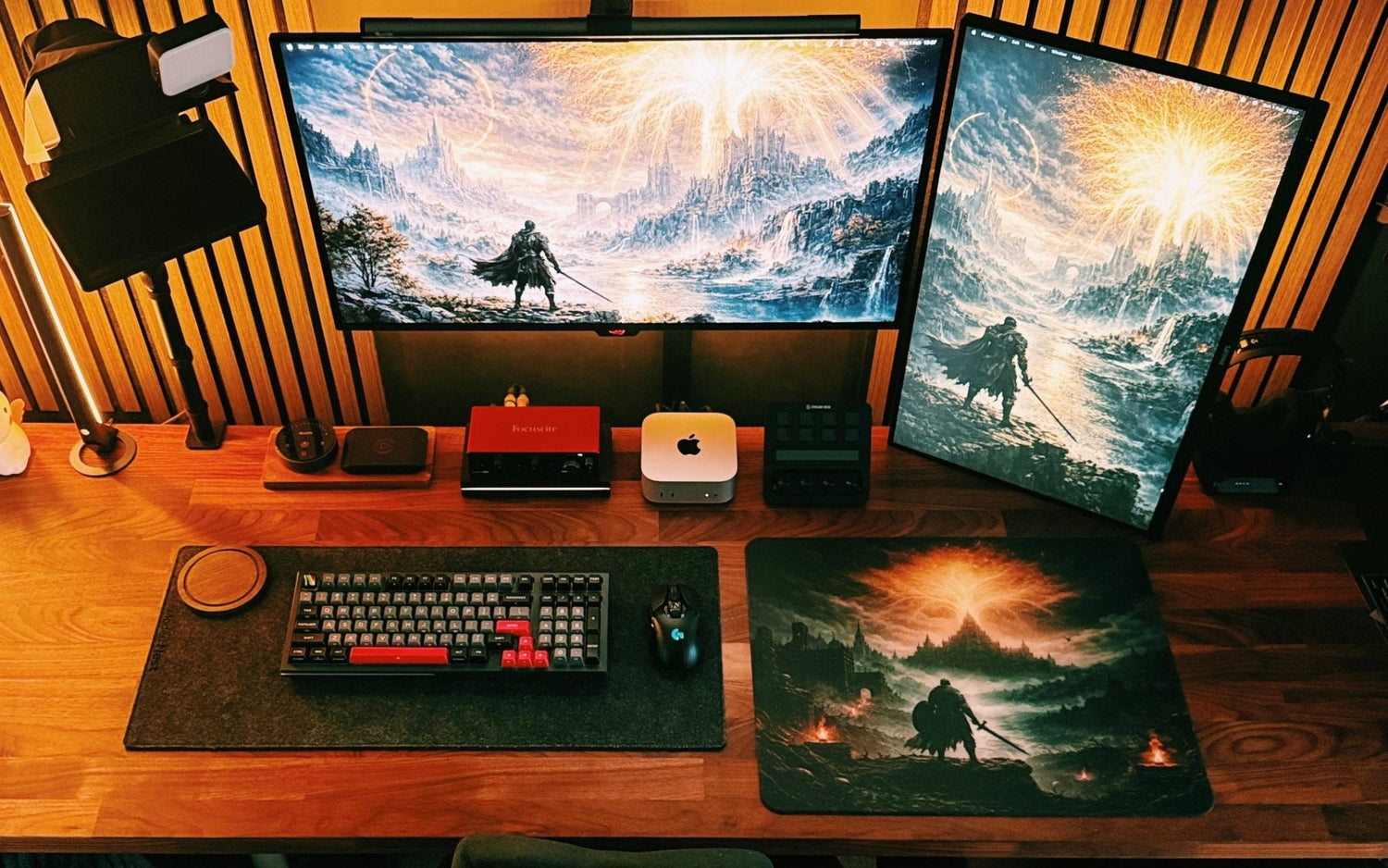
- Custom setups: Customize Your Glass Mousepad
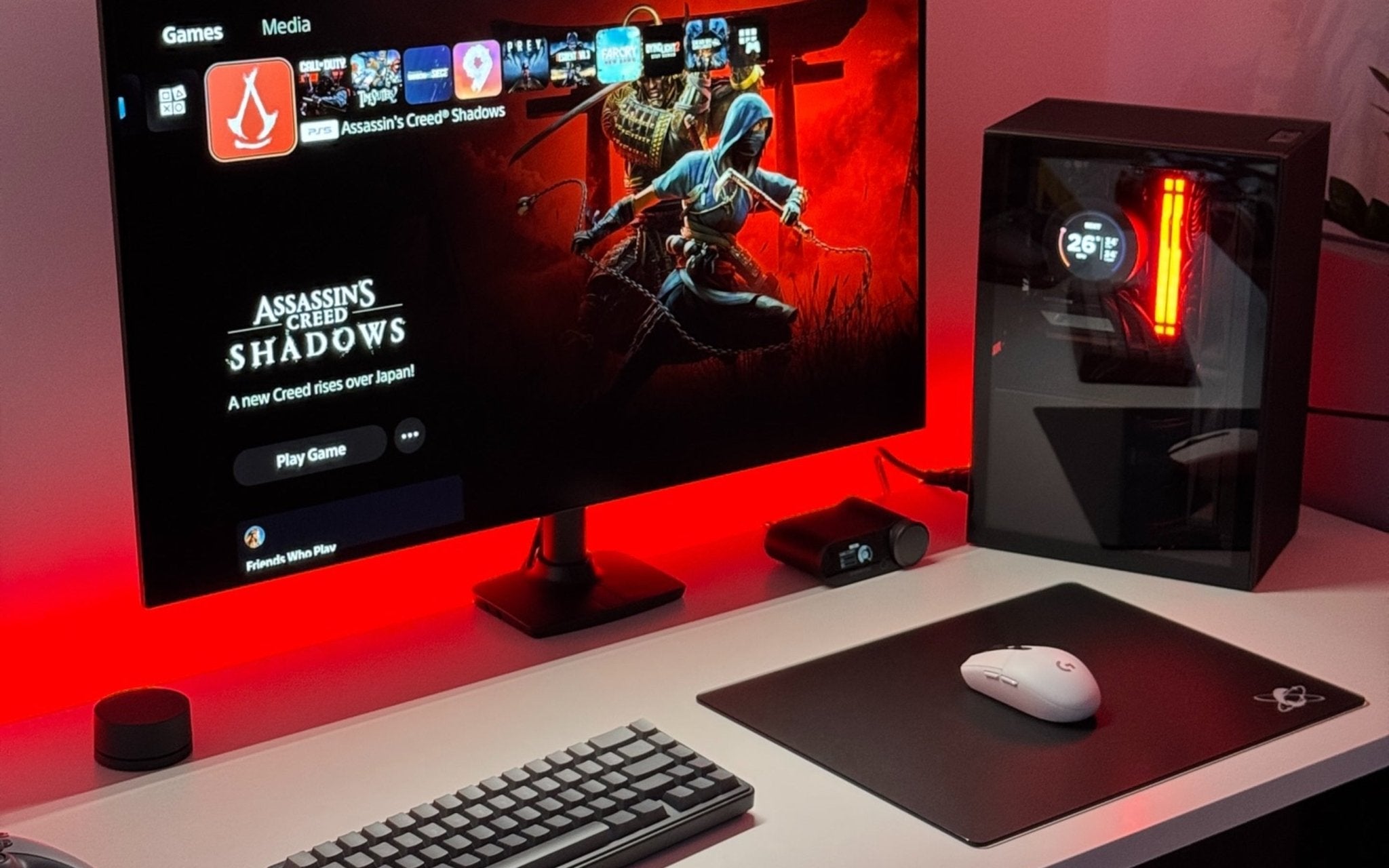
- Minimalist setups: Atom / Orbit
- Character and anime-inspired setups: Astra / Akira / Chi Ying
- Cute and clean desk setups: Lilies / White Lacey / Bunny Series
- C-Project collectors: Clustrs x liang.keren and Clustrs x weirdo_chen art editions
Design should support the setup, but surface feel, size, edge comfort, base grip, and maintenance should also be considered.
How to buy a glass mousepad in 2026
Buying a glass mousepad in 2026 is easier when users follow a simple process. The goal is to choose a pad that fits the user’s gaming style, desk space, cleaning needs, and setup design.
First, buyers should decide how the pad will be used. FPS players may need more space for wide swipes and tracking. Office users may prefer a compact or medium pad that fits the desk without taking too much room. Content creators and setup-focused users may care about both surface feel and visual style.
Next, buyers should choose the right surface feel. A glass mousepad should not be chosen by speed alone. Buyers should look for a surface that feels quick at the start, steady during tracking, and controlled when stopping.
After that, buyers should pick a size that fits the desk. A product such as Astra’s Gaze Gaming Glass Mousepad can fit users who want a larger glass pad, while Atom Gaming Glass Mousepad may fit users who prefer a cleaner minimalist setup. Buyers should confirm size and thickness on each official product page before choosing.
Daily use also depends on comfort, coating, and base stability. Smooth 2.5D or 3D CNC edges help reduce sharp contact against the wrist and forearm. AF coating helps reduce visible fingerprints, smudges, and stains. A high-grip PU base helps keep the pad stable on most desk surfaces.
For users who want a personal design, Customize Your Glass Mousepad is the relevant option. Buyers should upload high-resolution artwork, expect possible slight color differences between screen preview and final product, and make sure they have the right to use the uploaded image.
Before placing an order, buyers should check the official product page for confirmed details such as size, thickness, material, edge design, base type, warranty, shipping, and limited-edition information. CLUSTRS products may vary by model, so product-specific pages should be treated as the source of truth.
How to Maintain a Glass Mousepad
- Daily cleaning: Wipe the surface with a soft microfiber cloth to remove dust, fingerprints, and light smudges.
- Heavier marks: Use a slightly damp microfiber cloth with water, then dry the surface with a clean cloth.
- Cleaning products: Avoid harsh chemical cleaners unless official care instructions recommend them.
- Mouse skates: Keep mouse skates clean. Dirty or worn skates may make movement feel rough or uneven on glass.
- Desk placement: Keep the pad on a flat, leveled surface to support stable daily use.
- Storage: Store the glass pad in a clean, dry space when it is not being used.
In Conclusion
Choosing a CLUSTRS glass mousepad in 2026 depends on playstyle, desk space, cleaning needs, and setup style. CLUSTRS focuses on the CLST 1.0 micro-etched surface, a speed-leaning balanced feel, smooth glide, steady tracking, reliable stopping power, and easy cleaning.
For gaming, office work, or custom setups, buyers should compare official product details and choose a pad that fits how the user plays, works, and builds the desk.
Frequently Asked Questions
1. What is a CLUSTRS glass mousepad?
A CLUSTRS glass mousepad is a treated glass surface designed for smooth glide, steady tracking, reliable stopping power, easier cleaning, and setup-focused visual style.
2. Is a glass mousepad good for gaming?
A glass mousepad can suit users who prefer lower friction, smoother movement, and a more consistent surface feel during gaming. It can be used for FPS games, Fortnite, Roblox, Minecraft, and other mouse-focused PC games.
3. What is the CLST 1.0 micro-etched surface?
CLST 1.0 is the micro-etched surface used by CLUSTRS. It is designed for a speed-leaning balanced feel with smooth glide, steady tracking, and controlled stopping.
4. Is a glass mousepad better than a cloth mousepad?
The right choice depends on user preference. Cloth pads suit users who prefer a softer feel and more friction, while glass pads suit users who want easier cleaning, lower friction, and long-term surface consistency.
5. How should users clean a CLUSTRS glass mousepad?
Users can wipe the surface with a soft microfiber cloth for daily cleaning. For heavier smudges, a lightly dampened cloth may help. Harsh chemicals should be avoided unless official care instructions recommend them.
6. Do glass mousepads wear mouse skates faster?
Glass is firmer than cloth, so mouse skate wear may become more noticeable for some users. Clean and suitable mouse skates can help maintain a smoother glide feel.
7. What should users know before ordering a custom glass mousepad?
Users should upload high-resolution artwork, expect possible slight color differences between the screen preview and final product, and make sure they have the right to use the uploaded image.
8. What should buyers check before choosing a CLUSTRS glass pad?
Buyers should check surface feel, size, edge design, AF coating, base stability, mouse skate condition, setup style, and official product details before choosing.