
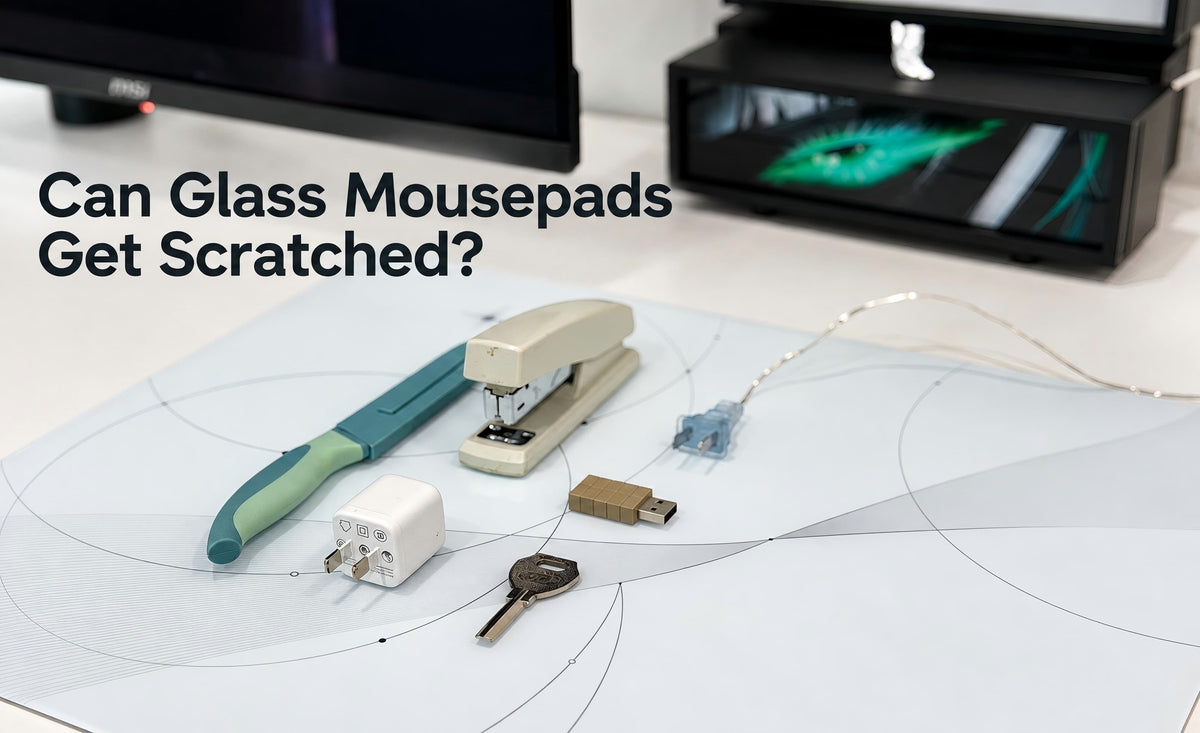
A glass mousepad is tough, but it’s not completely scratch-proof. Like any hard surface on your desk, it can be damaged by abrasive debris or by hard, sharp objects dragged across it under pressure.
The good news is, scratches are unlikely during normal use. When the surface is clean and your mouse has smooth, undamaged skates, the risk is very low. Problems can occur because of trapped grit, worn-out skates or using incompatible skate materials on glass.
So, the real question isn’t whether glass can ever scratch—it’s what actually causes scratches, how to tell a scratch from surface residue and how to keep your pad safe every day.
Quick Answer
Yes, a glass mousepad can scratch, but scratches are unlikely during normal use with a clean surface and intact PTFE or UHMW-PE skates.
Potential causes and risk factors include:
● Sand, grit or tiny metal particles stuck under the mouse
● Worn skates that let the bottom of the mouse touch the glass
● Loose or peeling skate edges that trap dirt
● Glass or ceramic skates used directly on a glass pad
● Dragging sharp objects like keys or tools across the surface
Many marks that look like scratches are actually dust, oil, cleaning residue or leftover adhesive from old skates. Always clean your pad before assuming that the damage is permanent.
What Actually Scratches a Glass Mousepad?
1. Abrasive Debris Trapped Under the Mouse
Abrasive debris is a key risk. A small, hard particle caught between the skate and the glass can create roughness and may leave a scratch when dragged across the surface.
If your pad suddenly feels scratchy, don’t keep sliding the mouse. Lift the mouse up, check the surface and remove the particle.
2. Worn or Damaged Mouse Skates
Mouse skates create a protective layer between the mouse shell and the glass. If they become very thin, deeply grooved, uneven or partly detached, your mouse may sit too low or unevenly.
When that happens, the plastic base or a rough skate edge can rub directly on the glass. This can cause scraping or leave marks, and trapped abrasive debris can increase the risk of scratches. You should check your skates if you notice:
- Scraping sounds that continue even after cleaning
- A mouse that rocks or feels unstable on the pad
- A skate edge that is lifting up
- A missing skate
- The mouse body touching the pad
If you see any of these signs, stop and replace the skates before using the mouse again.
3. Glass or Ceramic Skates
Glass-on-glass and ceramic-on-glass combinations are not recommended for CLUSTRS glass mousepads. They can be noisy and may increase the risk of surface damage.
For CLUSTRS glass pads, PTFE and UHMW-PE are recommended. They glide smoothly and help keep the mouse shell from rubbing against the pad.
You can explore CLUSTRS Mouse Skates to compare PTFE Dot, PTFE Donut and UHMW-PE Dot options.
4. Sharp Objects on Your Desk
A glass mousepad is designed only for your mouse movement, not as a cutting board, storage tray or a general work surface. Everyday desk items such as keys, charger plugs, staplers, knives and USB drives or connectors can have exposed metal edges or parts. Dragging these items across the pad may scratch or damage the surface, especially if sharp edges or trapped grit are involved. If you move things around your desk, lift them instead of sliding them.
Is It a Real Scratch or Just Residue?
Not every mark is permanent. Clean the pad carefully and look at it under normal light before you decide.
The following signs may suggest residue, but do not confirm it on their own:
- Looks hazy or cloudy instead of sharp
- Changes or fades when you look from a different angle
- Wipes away easily with a microfibre cloth
- Appears with dust, fingerprints or fine white particles
A little white dust can appear as PTFE skates naturally wear down. That doesn’t mean the glass is damaged. Just clean the pad, inspect your skates and check if the glide still feels smooth.
A line that remains visible after cleaning may be a scratch, especially if the mouse feels rough when moving over it. However, a fine scratch may not affect the glide, and stubborn residue can also remain after cleaning.
How to Prevent Scratches on a Glass Mousepad
Keep the Surface Clean
Regular cleaning stops debris from getting trapped under your mouse. For daily care, use a clean, dry microfibre cloth. If you need a deeper clean, lightly dampen the cloth with water. Do not pour liquid directly on the pad and avoid rough paper towels or cleaners that leave a film.
For a complete step-by-step guide, read How to Clean a Glass Mousepad Without Damaging Its Surface.
Check Your Skates Regularly
You don’t need to replace skates on a fixed schedule. Just check them if the movement feels different, you hear scraping sounds or the mouse doesn’t sit evenly.
Replace the skates right away if they are peeling, missing, noticeably thin, deeply damaged, or uneven enough to let the shell touch the pad. A clean, intact set of skates is the simplest way to protect your pad and keep your aim consistent.
Use the Right Skate Material
For glass, stick to PTFE and UHMW-PE. The best choice depends on the feel you prefer:
- CLUSTRS PTFE Dot Skates are designed for a lighter, faster glide with low starting friction.
- CLUSTRS PTFE Donut Skates are designed for a more planted, controlled feel than standard dots.
- CLUSTRS UHMW-PE Dot Skates are designed for a smooth glide and durability on glass and other hard surfaces.
Mouse weight, skate placement and the number of skates installed also affect the final feel. Do not focus only on speed. A stable and evenly supported mouse is more important than using the smallest possible contact area.
Don’t Use Your Pad as a Desk Tray
Avoid placing sharp, gritty or loose metal objects on the main mouse area. If you eat, work on crafts or do repairs at your desk, keep those activities away from the glass or use a separate mat.
What Should You Do If You See a Mark?
If you notice a mark on your pad, follow these steps:
- Stop moving the mouse over that area.
- Lift the mouse and inspect the skates.
- Remove any visible debris from the pad and the bottom of the mouse.
- Clean the surface with a lightly damp microfibre cloth.
- Check if the mark is still there after the pad is dry.
- Replace damaged or uneven skates before testing the glide.
- Test the glide gently in different directions.
If the mark remains but does not affect your mouse movement, don’t try to polish it away with harsh cleaners. Aggressive scrubbing can cause more damage than the original mark.
Glass Mousepad Care Tips
A glass pad does not need complicated care. Keep the surface clean, use PTFE or UHMW-PE skates and replace them when damaged or noticeably worn. Lift sharp objects instead of dragging them, and clean the pad when it feels rough.
Browse the CLUSTRS Glass Mousepad collection to compare designs and surface options.
FAQ
Can PTFE skates scratch glass?
Clean, intact PTFE skates are suitable for glass. Trapped abrasive debris can still scratch the surface.
Can ceramic skates scratch glass?
They can. Ceramic-on-glass and glass-on-glass combinations are not recommended for CLUSTRS pads.
Are white marks scratches?
Not necessarily. They may be dust or skate residue. Clean the pad first.
Will worn mouse skates damage the pad?
They can increase the risk, especially with trapped abrasive debris. Worn skates may let the mouse shell rub on the glass.
Can I remove a scratch?
Clean the pad first to rule out residue. A genuine scratch generally cannot be wiped away. Avoid abrasive polishing, which may alter the surface and glide.

