
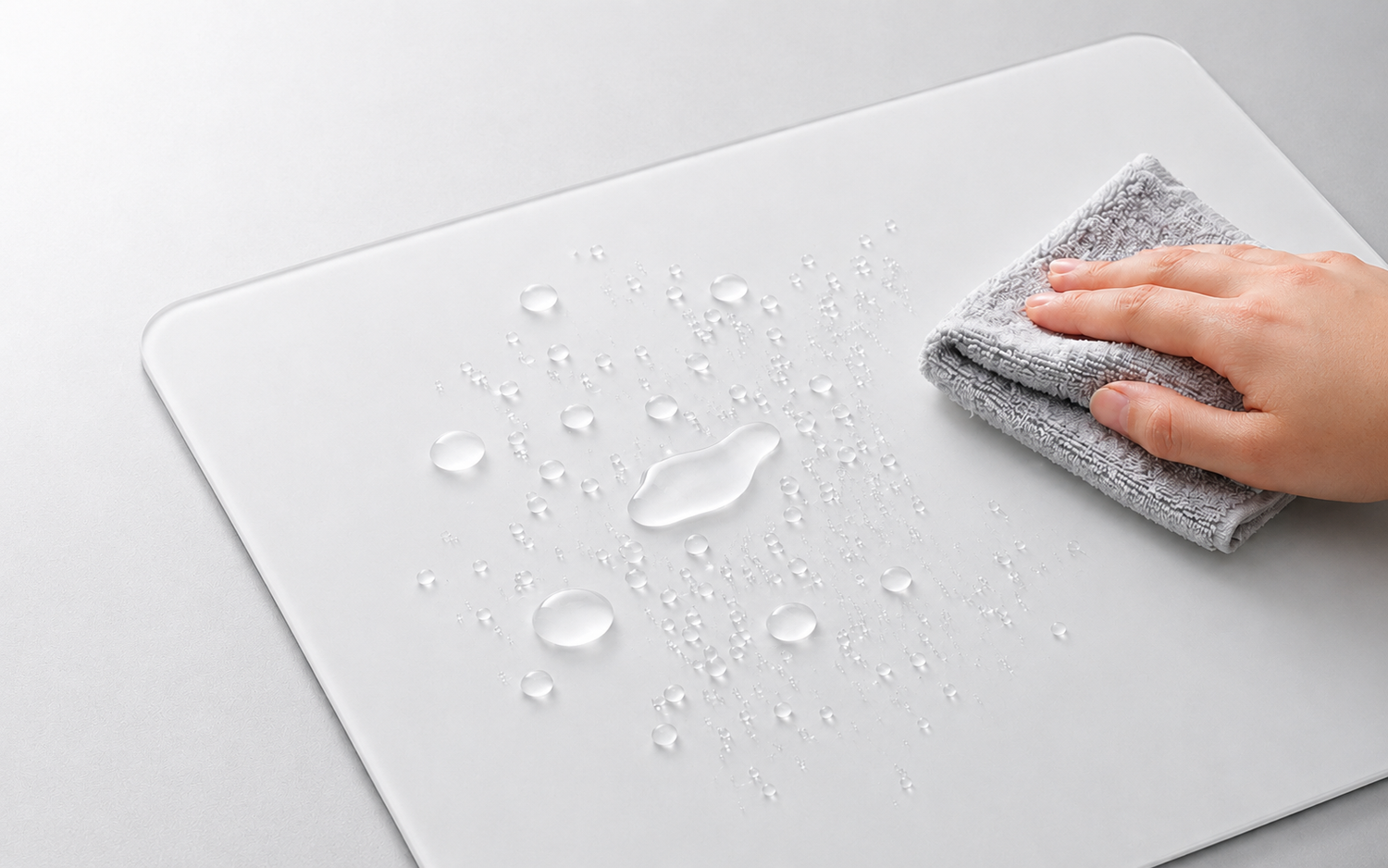
A glass mousepad is simple to maintain, but the way you clean it still matters. Dust, skin oils, sweat, and small particles can change how the surface feels over time, especially during long gaming sessions.
The safest method is also the simplest: remove loose dust with a clean microfiber cloth, use a lightly damp cloth only when needed, and dry the surface completely before you play.
QUICK ANSWER: Do not use abrasive materials, strong solvents, or excess water. For most regular cleaning, a clean microfiber cloth and water are enough.
What You Need
For normal glass mousepad cleaning, keep the routine minimal:
· One clean, soft microfiber cloth for dust removal
· A second clean microfiber cloth for drying
· Clean water
· A tiny amount of mild dish soap, only for stubborn oily marks
The cloth matters as much as the cleaner. Make sure it is clean and free from grit. A dirty cloth can drag small particles across the surface.
Step 1: Remove Loose Dust
Start with a dry microfiber cloth. Gently wipe the entire surface to lift dust, hair, and small particles. Use light, even passes instead of pressing hard or scrubbing one spot repeatedly.
For daily maintenance, this is often enough. A quick dry wipe helps keep particles from building up between longer cleaning sessions.
Step 2: Wipe Away Fingerprints and Sweat
If you can see fingerprints or the surface feels slightly sticky, lightly dampen a clean microfiber cloth with water. The cloth should be damp, not dripping wet.
Wipe the surface in smooth strokes and keep excess water away from the edges and underside of the pad. For most marks, water is enough.
Step 3: Use Mild Soap Only for Stubborn Oil
If an oily mark remains after a water wipe, add a very small amount of mild dish soap to the damp cloth. Clean the affected area gently, then use a second lightly damp cloth to remove any soap residue.
Finish with a dry microfiber cloth. Never pour water or soap directly onto the mousepad, because applying liquid to the cloth gives you better control.
Step 4: Let the Surface Dry Completely
Before putting your mouse back on the pad, make sure the surface is fully dry. This helps keep your glide consistent and prevents moisture from transferring to your mouse skates, desk, or gaming arm sleeve.
What Not to Use on a Glass Mousepad
Glass feels durable, but regular care should still be gentle. Avoid the following:
· Paper towels, tissues, or rough cloths that can leave lint or feel abrasive
· Scouring pads, abrasive sponges, or cleaning powders
· Bleach, solvents, or strong chemical cleaners
· Spraying liquid directly onto the pad
· Letting water collect around the edges or base
· High heat from a hair dryer, heater, or similar source
If you are considering a stronger cleaning product, check the manufacturer's care guidance first. When you are unsure, use a soft microfiber cloth and water.
How Often Should You Clean a Glass Mousepad?
The right schedule depends on your room, your desk habits, and how often you play. If you eat at your desk, have pets nearby, or sweat during longer sessions, you may need to clean the pad more often.
· Quick dry wipe: every few days, or whenever you notice dust
· Light damp wipe: every one to two weeks for regular use
· Deeper clean: when you notice fingerprints, oil, or less consistent glide
The surface feel is the best signal. If your mouse movement starts to feel less predictable, clean the pad and check your mouse skates before changing your sensitivity settings.
Why a Clean Surface Matters for Gaming
A clean glass mousepad helps remove avoidable changes in surface feel. Dust, oil, and residue can affect how your mouse skates move, while a clean surface gives you a more consistent reference point from one session to the next.
That does not mean cleaning a mousepad will improve your aim by itself. It simply helps remove a distraction that can make your setup feel less predictable.
CLUSTRS glass mousepads use the CLST 1.0 micro-etched surface, designed for a speed-leaning balanced feel with smooth glide, steady tracking, and reliable stopping control. Keeping the surface clean helps you experience that intended feel.
Clean Your Mouse Skates Too
It is worth checking your mouse skates whenever you clean the pad. Dust and residue can collect on the skates, then transfer back onto the surface.
Turn your mouse over and gently remove visible dust with a dry microfiber cloth. If the skates look worn, rough, or uneven, cleaning may not restore their original feel.
Store Your Glass Mousepad Carefully
If you travel, attend gaming events, or rotate between multiple pads, storage matters. Clean the pad first and make sure it is fully dry before putting it away.
A properly sized case can help protect a glass mousepad from dust, scratches, and accidental bumps during storage or transport.
Final Thoughts
Cleaning a glass mousepad does not need to be complicated. Use a clean microfiber cloth, keep liquids controlled, avoid harsh products, and dry the surface completely before use.
A few minutes of regular care can help your setup stay cleaner and your mouse movement feel more consistent from one session to the next.
FAQ
Can I use glass cleaner on a glass mousepad?
Start with a lightly damp microfiber cloth. If you want to use a glass cleaner, check the manufacturer's care instructions first and never spray it directly onto the pad.
Can I rinse a glass mousepad under running water?
It is better not to. A damp cloth gives you more control and helps keep water away from the edges and underside of the pad.
Why does my glass mousepad feel less smooth than before?
Dust, skin oils, sweat, or residue on your mouse skates can change the feel. Clean both the pad and the skates first, then check whether the skates are worn.
Can I use paper towels to clean a glass mousepad?
A soft microfiber cloth is the better choice. Paper towels can leave lint behind and are not ideal for regular surface care.
Internal Links for Shopify Upload
Link the phrase 'CLUSTRS glass mousepads' to https://theclustrs.com/collections/all-glass-mouse-pad
Link the phrase 'properly sized case' to https://theclustrs.com/products/clustrs-glasspad-case