A glass mousepad feels like the first time you switch from a mushy office mouse to a real gaming mouse: everything suddenly moves too easily.
That’s the point—and also the trap.
A glass mousepad can offer a more consistent surface structure than cloth, but it will not fix shaky aim on its own. The final feel depends on the micro-texture, mouse skates, sensitivity, cleanliness, humidity, and the time you give yourself to adapt.
This guide is for competitive FPS players who are new to glass and want the practical version: when a glass surface helps, how to choose one, and how to set it up so the glide remains predictable. A speed-leaning balanced micro-etched surface, such as CLUSTRS CLST 1.0, is designed to pair smooth starts with tactile feedback and reliable stopping power rather than chase an extreme ice-like feel.
What a glass mousepad changes (and what it doesn’t)
A glass mousepad is a hard, non-porous surface that is often micro-etched to create a defined glide and feedback profile. Compared with cloth, it usually feels lighter and more direct; the exact result still depends on the surface structure, skates, and setup.
- Lighter starts and faster movement. The mouse can begin moving with less obvious initial stickiness; controlled stopping still comes from the surface texture, skates, and your active input.
- More consistency over time. Cloth can change with humidity, oils, and wear patterns; glass tends to stay more uniform with basic care.
- Different feedback. You’ll feel (and hear) skates more. On some setups, glass is louder than cloth.
What it doesn’t change:
- It won’t magically improve your mechanics. What improves aim is repeatable practice—glass just changes the surface you’re practicing on.
- It won’t “add control” by default. Control comes from the texture/etch, your skates, and your sensitivity.
For CLUSTRS, the relevant distinction is not simply “glass equals speed.” Current glass mousepads use the CLST 1.0 micro-etched surface, positioned as speed-leaning but balanced: smooth starts and consistent glide are paired with tactile feedback and reliable stopping power.
Glass mousepad vs cloth: the tradeoffs in plain English
The important comparison is practical: cloth generally offers softer contact and stronger passive friction, while a micro-etched glass surface feels more direct and makes skate condition, cleanliness, and active stopping input more noticeable.
Glass tends to work best when you value repeatable glide and direct feedback—not speed in isolation. A balanced micro-etched surface can suit sustained tracking, wide turns, and final micro-corrections without presenting itself as a “no-control” option.
Glass is usually a good fit if you…
- Play tracking-heavy or movement-heavy titles (where wide swipes and rapid corrections matter).
- Notice your cloth pad feels different depending on humidity/sweat.
- Want a surface that’s easy to keep clean and consistent.
- Don’t mind replacing skates more often.
Cloth (or a slower surface) may be a better fit if you…
- Mostly play tactical/angle-holding shooters and you rely on the pad’s friction to “brace” micro-stops.
- Prefer a softer feel under your wrist/forearm.
- Hate noise or vibration from skates.
Pro Tip: If you’re unsure, don’t think “glass vs cloth.” Think “how much friction do I want between corrections?” Your ideal surface is the one you can repeat the same motion on 1,000 times.
How to choose your first glass mousepad (without overthinking it)
Beginners usually pick wrong in one of two ways:
- they buy the fastest surface possible and can’t stop, or
- they buy a surface that’s uncomfortable (bad edges/base) and quit.
Here’s the short checklist that actually matters.
Pick a surface feel: speed-leaning vs control-leaning
If you search “best glass mousepad for FPS,” you’ll see a lot of opinions. Ignore the hype and decide on the feel you need first.
Most glass pads are fast, but not all glass feels the same.
- Smoother/polished feel: faster glide, less stopping power. Fun for flicky games—but easy to overshoot.
- Micro-etched / matte feel: still fast, but with more texture feedback for micro-corrections.
When comparing glass pads, prioritize the surface’s real glide and feedback, base stability, edge finish, size, and thickness. Marketing labels alone do not tell you how a pad will feel in use.
Best practice for FPS beginners: start with a balanced micro-etched feel unless you already know you prefer maximum speed. CLST 1.0, for example, is positioned as speed-leaning while retaining perceivable texture feedback for small corrections and controlled stops.
Go bigger than you think you need
If you play low-to-mid sensitivity (common in competitive FPS), size is a performance feature.
- Small pads force you to pick up the mouse more.
- Bigger pads let you keep your shoulder/arm motion consistent.
Aim for a size where your “full turn” swipe stays on-pad, even when you’re tired.
Don’t ignore the base (slip ruins consistency)
A glass pad that shifts even a few millimeters during a fight can undermine consistency. Look for a base that grips the desk well; CLUSTRS uses a 0.5mm high-grip PU base to help keep the operating area stable across desk materials.
- Look for a base that grips the desk well.
- If your desk surface is uneven, fix that first (or use a desk mat under the pad if the manufacturer allows it).
Edge finish matters more than specs
You will feel the edge every session. For CLUSTRS, 2.5mm pads use a 45-degree CNC-beveled 2.5D edge for a lower profile, while 3.5mm pads use a CNC-polished 3D safety edge for a fuller, more substantial feel.
- Rounded/polished edges reduce wrist irritation.
- Sharp edges feel “fine” for a week and then become a constant distraction.
Thickness is mostly about comfort
Thickness affects both profile and structure. In the CLUSTRS range, 2.5mm uses chemical-strengthened glass for a lower-profile setup, while 3.5mm uses high-temperature tempered glass for a more solid feel. Choose based on the height and edge feel you prefer, not on an assumed performance difference.
If your wrist rubs edges a lot, a thinner profile or better edge finishing often matters more than raw thickness.
How to set up your mouse + skates for glass
If glass feels uncontrollable, it’s usually not the pad. It’s your setup.
Step 1: Lower sensitivity a bit (temporarily)
Adapt by changing one variable at a time. Some players temporarily lower sensitivity to reduce early overshooting, but there is no universal percentage—use a small, testable adjustment and keep it only if it improves repeatability.
- If you are consistently overshooting, make one small temporary sensitivity or DPI adjustment and test it for several sessions.
- After you stop overshooting, creep it back up if needed.
This isn’t about being “slower.” It’s about matching your stopping power to the new friction.
Step 2: Use PTFE skates—and avoid glass-on-glass
PTFE mouse skates are the standard for glass pads.
Avoid glass skates on a glass mousepad: hard-on-hard contact can create scratching risk. PTFE skates are the normal starting point, but their material, contact area, condition, and cleanliness all affect glide and stopping feedback.
If your glide starts to feel rough, noisy, or inconsistent, your skates may be the culprit. Here’s a practical reference on signs your PTFE skates need replacing.
Step 3: Expect a break-in period
Even if the pad is “consistent,” your hands aren’t.
Give yourself a week of normal play (or a few aim-training sessions) before you judge the surface.
⚠️ Warning: Don’t swap pads, skates, and sensitivity all at once. If something feels off, you won’t know what caused it.
Step 4: Build a simple adaptation routine
You don’t need a fancy plan. You need repeatable reps.
Try this for 3–5 days:
- 10 minutes: smooth horizontal tracking (focus on not gripping too hard)
- 10 minutes: short flicks + controlled stops
- 10 minutes: your main game with one rule: “clean movements over speed”
Your goal is to re-learn stopping distance on the new surface.
Cleaning and maintenance that keeps glide consistent
If you’re searching “how to clean a glass mousepad,” here’s the practical answer: keep it dry, keep it simple, and don’t grind dust into the surface.
When people say glass feels “scratchy,” it’s usually dust/grit, not the pad.
Daily habit (takes 15 seconds)
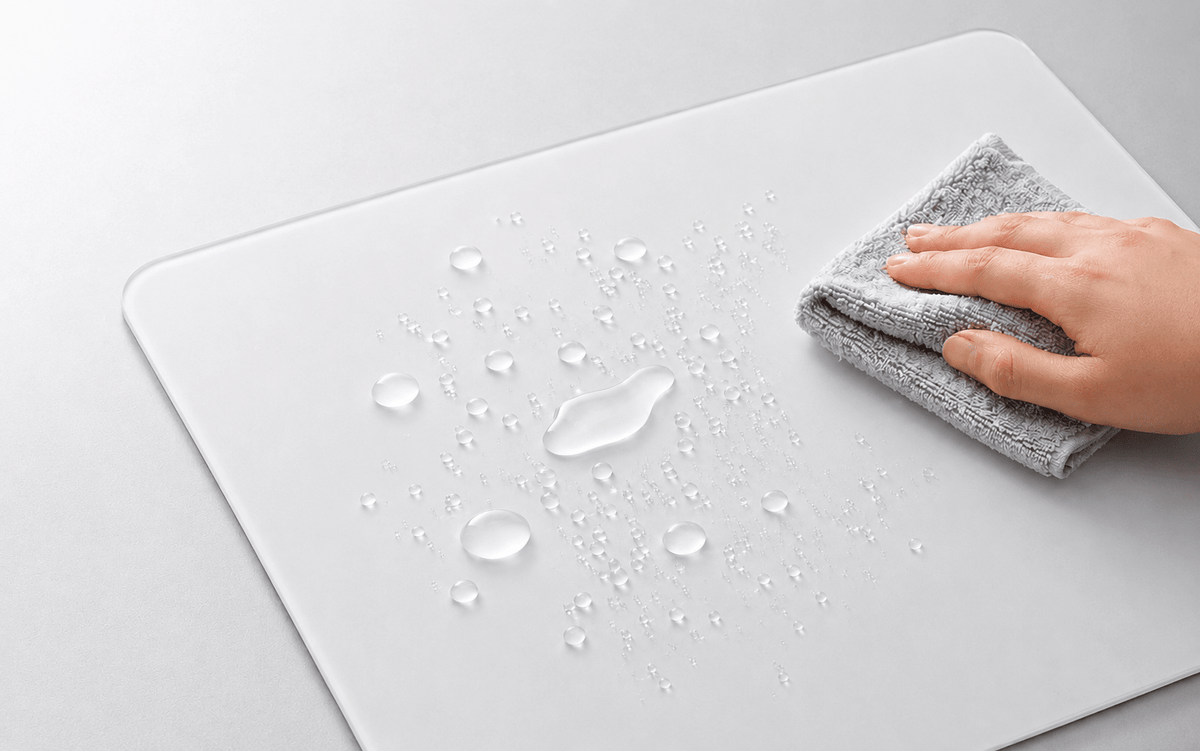
- Wipe the surface with a clean microfiber cloth.
Occasional deeper clean
For a deeper clean, use clean water and a lint-free cloth, then let the surface dry fully before play. Do not use strong solvents or alcohol: they may shorten the life of an AF anti-stain treatment.
If your pad has any coating, harsh chemicals can shorten its life—so don’t freestyle with solvents.
Common problems (and quick fixes)
“It feels too fast—I can’t stop.”
- If needed, make one small temporary sensitivity adjustment rather than changing several parts of the setup at once.
- Switch to a more controlled skate setup (or thicker skates if your mouse supports it).
- Focus on relaxed grip; tension makes micro-corrections jerky.
“The glide feels scratchy.”
- Clean the pad.
- Check skates for debris or uneven wear.
- Replace skates if the edges are lifting or the surface is visibly worn.
“It’s noisy.”
- Noise is often skate + texture interaction.
- Try different skates (still PTFE) and keep the surface clean.
“My sensor feels weird on glass.”
Most modern optical gaming mice work on micro-etched glass, but sensor design, firmware, lift-off-distance settings, skate height, dust, and surface condition can all affect tracking. If you get repeated skipping, clean the sensor window and pad, inspect whether the mouse shell is touching the glass, update firmware, test LOD settings, and then contact support with the mouse model, firmware, and affected area.
- Try a different lift-off distance (LOD) setting if your mouse software supports it.
- Make sure the pad is fully clean and dry.
FAQ
Are glass mousepads only for high sensitivity?
No. Many FPS players run low sensitivity; the key is having enough pad space and dialing in stopping power with texture + skates + sensitivity.
Do glass mousepads wear out?
The micro-etched glass structure is built for long-term consistency, but it is not maintenance-free. AF treatment is a functional layer that can wear with friction, cleaning, and use, and PTFE skates are consumables that generally wear faster on hard surfaces.
Are glass mousepads hard to maintain?
They are usually straightforward to maintain because they do not absorb oils or spills like cloth. The tradeoff is that dust, skate condition, and skin contact are easier to notice, so a quick wipe and regular skate check make a real difference.
Is a glass mousepad good for Valorant/CS2?
It can be, but if you rely heavily on friction for micro-stops, you may prefer cloth or a more control-leaning surface. The “best” surface is the one that lets you repeat the same stop consistently.
Next steps
Before choosing a CLUSTRS pad, decide whether you need compact portability, everyday desk use, or wide low-sensitivity movement. XS suits compact or mobile setups, S balances desk space and daily use, and L gives more room for broad arm movement. Then choose the profile and edge feel you prefer: 2.5mm low-profile or 3.5mm more substantial.
For shipping damage, custom orders, returns, warranty, or product availability, always check the policy and product page that are current on the publication date. If a tracking issue persists after the basic checks, provide support with the mouse model, firmware, settings, and a description of the affected area.