Glass mousepads have a distinct sound. On a quiet desk, you may notice it before you notice the glide: a light hiss during a normal swipe, a sharper note on a fast flick, or a more audible stop. That is often normal.
Glass is harder than cloth and does not absorb as much friction or vibration. That is why mouse skate contact is easier to hear. Not every sound is a problem, but sudden scratching, rough movement, or an uneven sound can point to dust, worn skates, or an installation issue.
However, not every sound should be ignored. A sudden scratching noise, rough movement, or inconsistent sound can point to dust, worn mouse skates, or an installation issue.
This guide explains why glass mousepads sound different, how to tell normal glide noise from a problem, and what to check first.
Quick Answer
Glass mousepads often sound louder than cloth because glass is hard and non-porous. It passes along more vibration instead of absorbing it like fabric. A light, even glide sound is normal. If the sound suddenly becomes scratchy, uneven, or much louder, or if movement feels rough, clean the pad and inspect the skates.
Why Does Glass Sound Different From Cloth?
The main difference is the surface material.
A cloth mousepad has a soft woven surface that absorbs part of the noise. Glass is firm and smooth, so sound from the mouse skates travels more directly.
That does not mean glass is rougher or worse for glide. In many setups, the mouse still moves smoothly; the sound is simply easier to notice.
The type of desk underneath the mousepad can also affect the sound. A solid desk, hollow desk, or desk with loose items nearby may make the same glide sound more noticeable.
Normal Glass Mousepad Sounds
A glass mousepad can produce a small amount of normal sound during use, particularly when you move the mouse quickly.
● A soft, even glide sound during regular movement
● A slightly sharper tone during fast swipes
● A subtle change in sound when moving in a different direction
● A clearer sound after switching from cloth
● A light glide sound that remains even and does not affect control
If the mouse still moves smoothly and the sound is stable, there is usually nothing to fix.
When Should You Check Your Setup?
Check your setup if you notice:
● Sudden scratching or grinding sounds
● Rough or uneven glide
● A sound that only appears in one area of the pad
● Skipping, catching, or less predictable control
● Mouse skates that look thin, chipped, or uneven
● The mouse shell touching the surface
These issues do not always mean the glass mousepad is damaged. In many cases, the cause is dust, debris, skate wear, or leftover adhesive from an old set of skates.
Common Causes of Louder or Rougher Glide
Dust and Small Debris
Dust, hair, crumbs, or residue caught under the mouse skates can create a scratchy sound and make the glide feel uneven. Because glass is smooth and firm, even small particles may be easier to hear than they would be on cloth.
Simple fix: Wipe the mousepad with a clean microfiber cloth and inspect the mouse skates before testing the glide again.
Worn Mouse Skates
Mouse skates wear down over time. When they become thin, uneven, or damaged, the mouse may no longer glide as intended. In more serious cases, the mouse shell can begin touching the pad, causing abrasive movement and louder noise.
Simple fix: Replace the skates when the glide becomes rough, scratching sounds appear, the skates look noticeably thin, or the mouse shell begins touching the pad.
Leftover Adhesive or Uneven Installation
When replacing mouse skates, old adhesive should be fully removed before applying a new set. Leftover adhesive can prevent a skate from sitting flat. A skate that is not installed evenly may create inconsistent contact with the surface.
Simple fix: Remove the old skates carefully, clean the contact area with an alcohol wipe, allow it to dry, and apply the new skates evenly.
Unsuitable Skate Materials
Not every mouse skate material pairs well with glass.
PTFE and UHMW-PE are both suitable materials for glass mousepads. Their material, shape, and contact area can create different glide characteristics, but both are commonly used for smooth movement on hard surfaces.
Glass-on-glass and ceramic-on-glass combinations may create excessive noise, unpredictable wear, or surface stress. For this reason, PTFE and UHMW-PE are safer choices for a glass mousepad setup.
Explore CLUSTRS PTFE and UHMW-PE mouse skates here.
A Dirty Mousepad
A glass mousepad does not need complicated maintenance, but cleanliness still matters. Skin oil, dust, and residue can affect glide over time.
Simple fix: Clean it regularly with a clean microfiber cloth and an appropriate amount of water or a residue-free cleaner. Avoid abrasive materials or strong solvents that may affect the pad coating.
Does Mouse Skate Shape Affect Sound?
Yes. Skate shape can affect the sound you hear.
Mouse skate shape changes how much material contacts the surface and how the mouse moves across it. This can influence glide feel and, in some setups, sound.
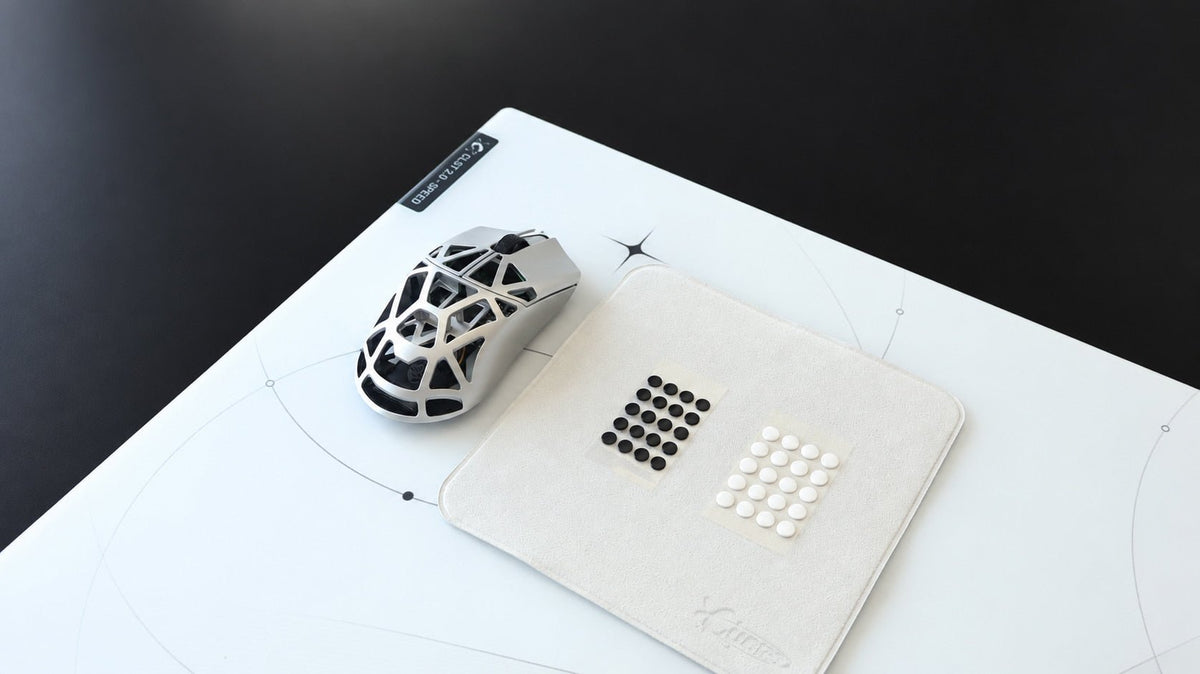
CLUSTRS offers three mouse skate options for glass mousepads:
● PTFE Dot Skates: A speed-focused option with a lighter, faster glide.
● PTFE Donut Skates: A more balanced option with a more planted feel and added stability.
● UHMW-PE Dot Skates: A durable option for users who prefer an even, reliable glide on glass and other hard surfaces.
Sound alone should not decide which skate to choose. Prioritize the glide character, durability, and level of control you prefer. A clean, properly installed skate matters more than trying to eliminate every normal glide sound.
How to Reduce Unnecessary Noise
You may not be able to make a glass mousepad sound exactly like cloth, and that is normal. But you can reduce unnecessary scratching or roughness by following a few simple steps:
1. Keep the glass surface clean and free of particles.
2. Inspect mouse skates regularly for wear, damage, or lifted edges.
3. Remove old adhesive before installing new skates.
4. Use PTFE or UHMW-PE skates designed for hard surfaces.
5. Replace worn skates before the mouse shell contacts the pad.
6. Check that the mousepad is sitting flat and stable on the desk.
A Glass Mousepad Does Not Need to Be Silent
Glass magnifies sound more than cloth does. Some sliding noise is part of using a firm, hard surface and is not a sign that something is wrong.
What matters most is how the mouse travels. If the glide is smooth, even, and comfortable for your aim and workflow, you are in good shape. If the sound changes suddenly or the movement turns rough, clean the surface, inspect the skates, and check the installation.
FAQ
Is it normal for a glass mousepad to make noise?
Yes. Glass mousepads often produce more noticeable glide sound than cloth because the surface is harder and does not absorb friction and vibration in the same way.
Why does my mouse suddenly sound scratchy on glass?
Dust, debris, worn skates, a lifted skate edge, or leftover adhesive are common causes. Clean the pad and inspect the mouse skates first.
Will PTFE mouse skates be quieter on glass?
PTFE is well-suited for glass mousepads, but sound can still vary based on the skate shape, condition, mouse weight, movement pressure, and surface cleanliness. Choose skates primarily for the glide feel you prefer.
Can I use glass or ceramic skates on a glass mousepad?
They are not recommended. Glass-on-glass and ceramic-on-glass combinations may create excessive noise, unpredictable wear, or surface stress. PTFE and UHMW-PE are more suitable choices.
When should I replace my mouse skates?
There is no fixed schedule. Replace them if the glide becomes rough, scratching sounds appear, the skates become noticeably thin, or the mouse shell begins touching the mousepad.